Calculators
How to copy accurate stats from the game, what to avoid in the team UI, and a quick tour of each public calculator.
Part 1 — Where to find your stats
Step 1: Build your team

Step 2: Click an Awakener

Here you can see your Attributes and quickly switch between Awakeners to gather their stats.
Step 3: Click Details
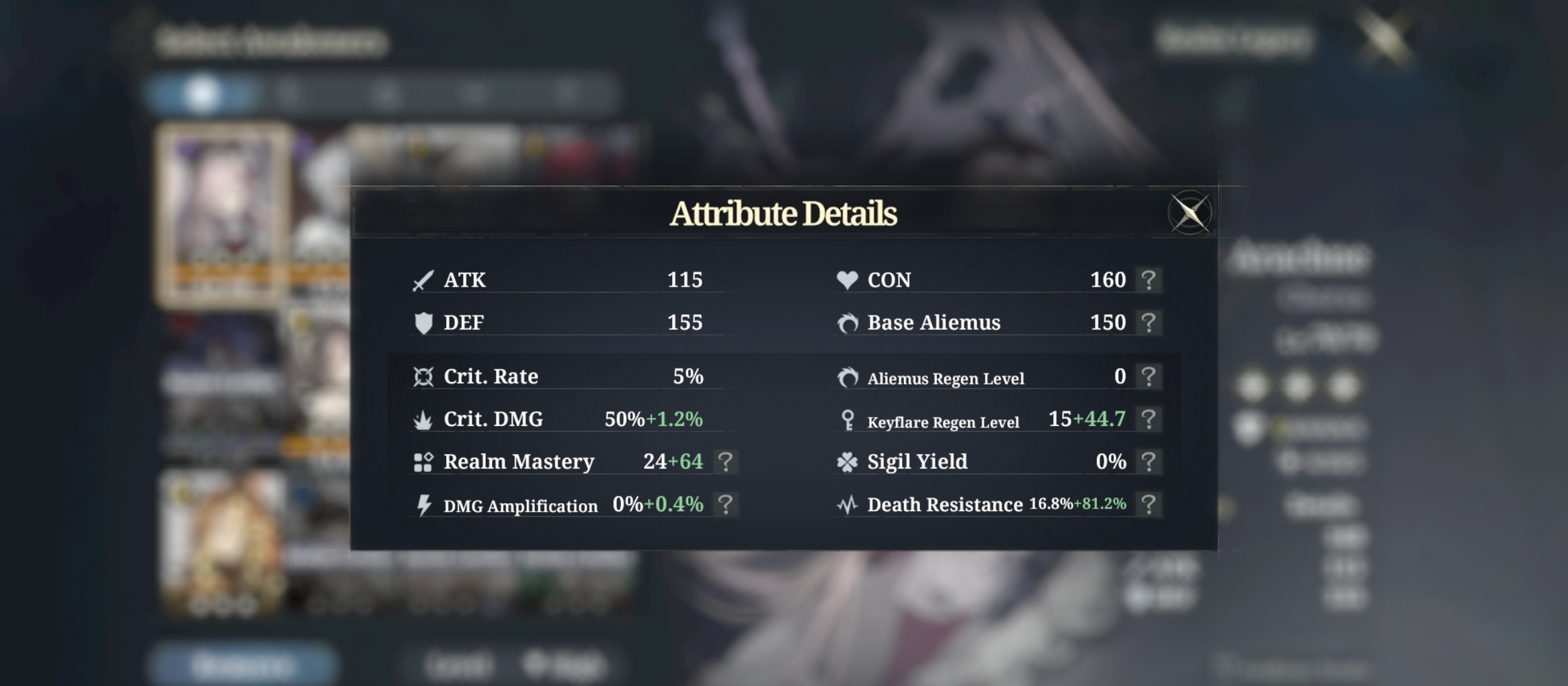
This is that Awakener's Attribute Details with equipment. You can also tap the question mark to see the diminished value.
Step 4: Enter any Faded Legacy stage
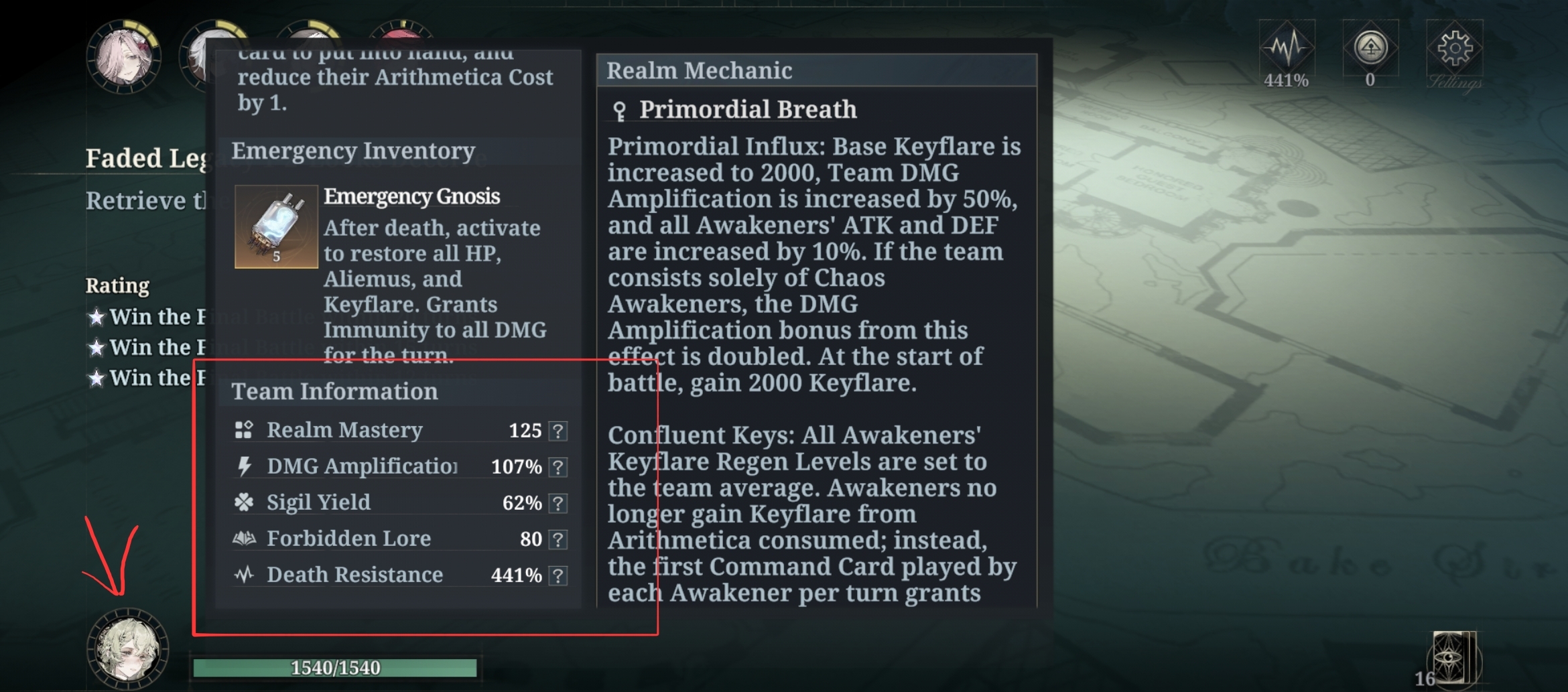
Click and hold your posse button, then scroll down to see your team sum attributes.
Part 2 — Calculator showcase
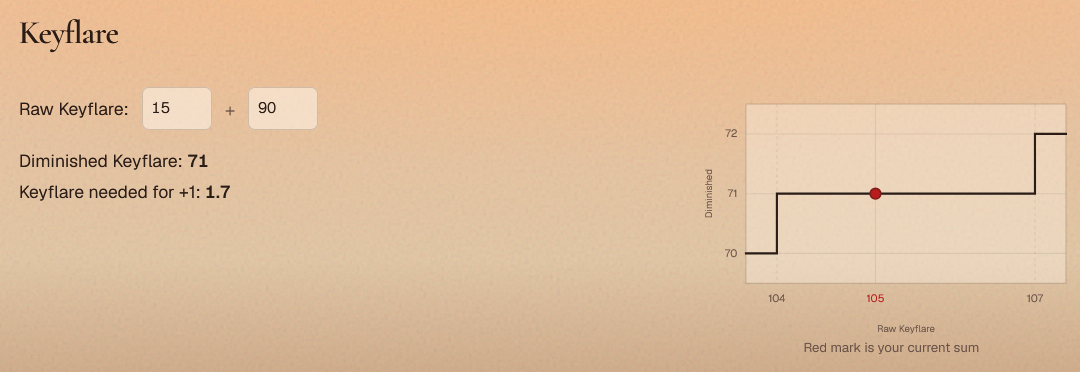
Keyflare & Aliemus
Enter Awakener stats from Step 3: Click Details. You get the diminished value and how close you are to the next breakpoint. Aliemus uses the same input pattern as Keyflare.
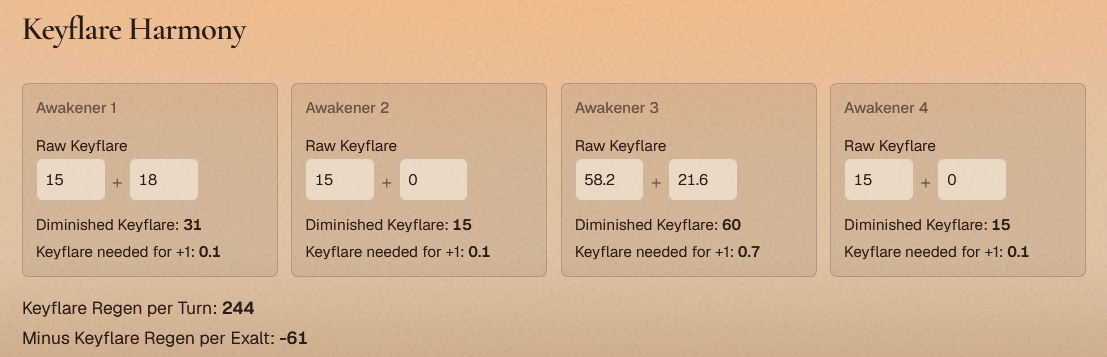
Keyflare Harmony
Enter each Awakener's Keyflare to see how Astral Reign's Keyflare Harmony rule applies.
Death Resist
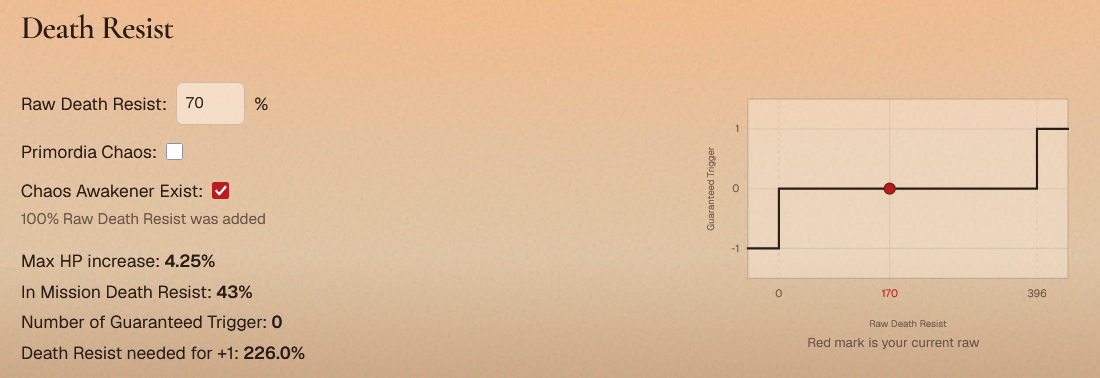
Enter your DR to see how much more you need for a guaranteed trigger. The calculator applies Astral Reign's rule and turns part of DR into Max HP increase. Chaos Awakener Exist adds 100% DR, Primordia Chaos removes it. If you copied DR from Step 4: Faded Legacy team stats, you won't need either checkbox.
Team Max HP
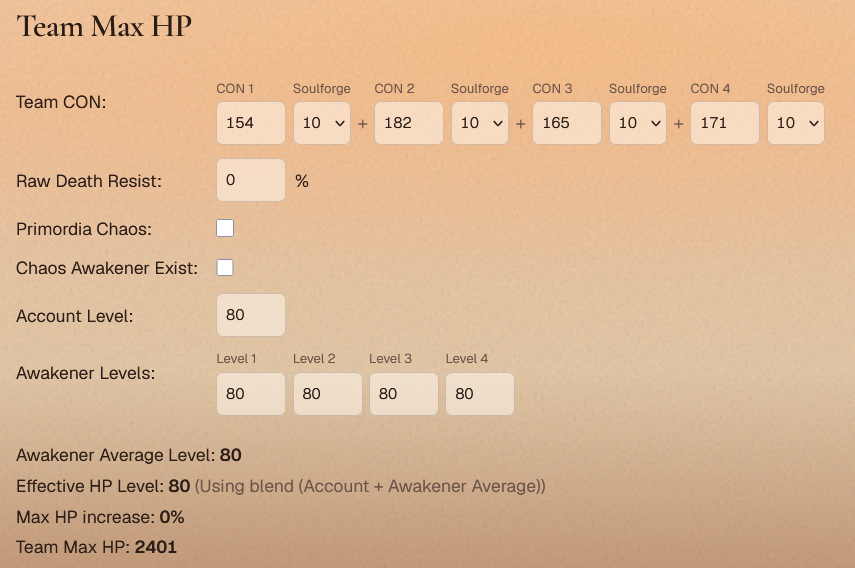
Enter CON, Soulforge, levels, and Death Resist to see final team Max HP. Death Resist is included because Astral Reign raises max HP from DR.
Realms
Every realm calculator is here except Primordia Chaos (too many posse-specific stat changes to show cleanly). Useful for seeing exactly what Realm Mastery is doing.
Covenant
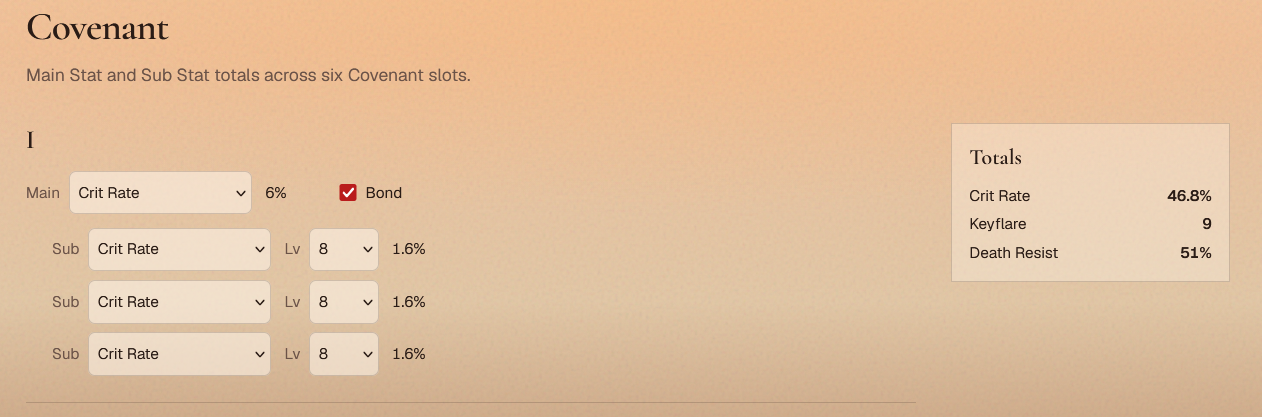
Totals for Covenant Main Stat and Sub Stats, including Bond.